Imagine a simple web application scenario: you click on a button. App tries to load some data. The data might load, or the backend might return an error. You write a Cypress test:
1 | cy.visit('cypress/fetch-fails-sometimes.html') |
The test is green, but there are a couple of downsides.
- test is slow Loading the data might take a while. In our case it takes almost 8 seconds, so your test must wait.
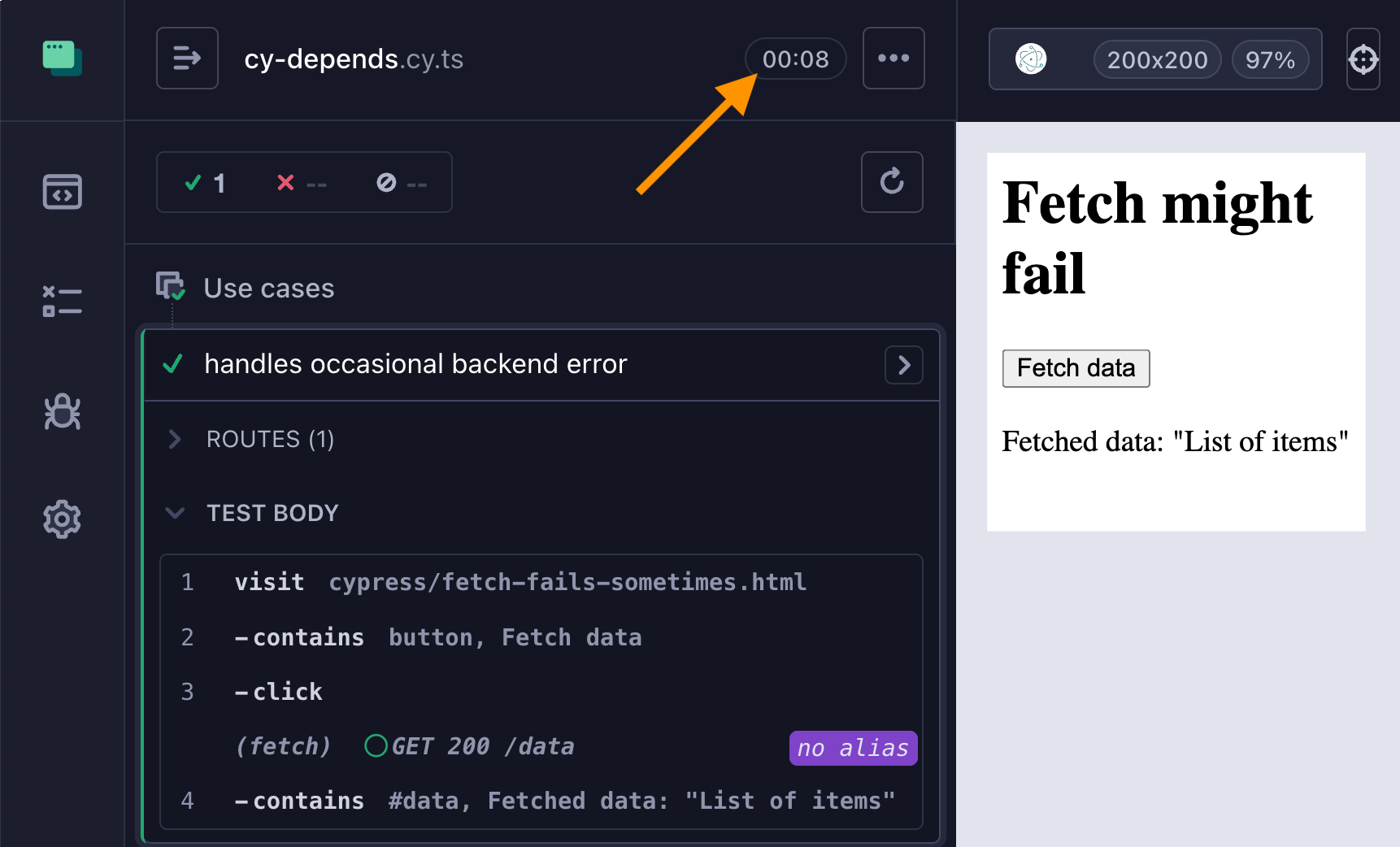
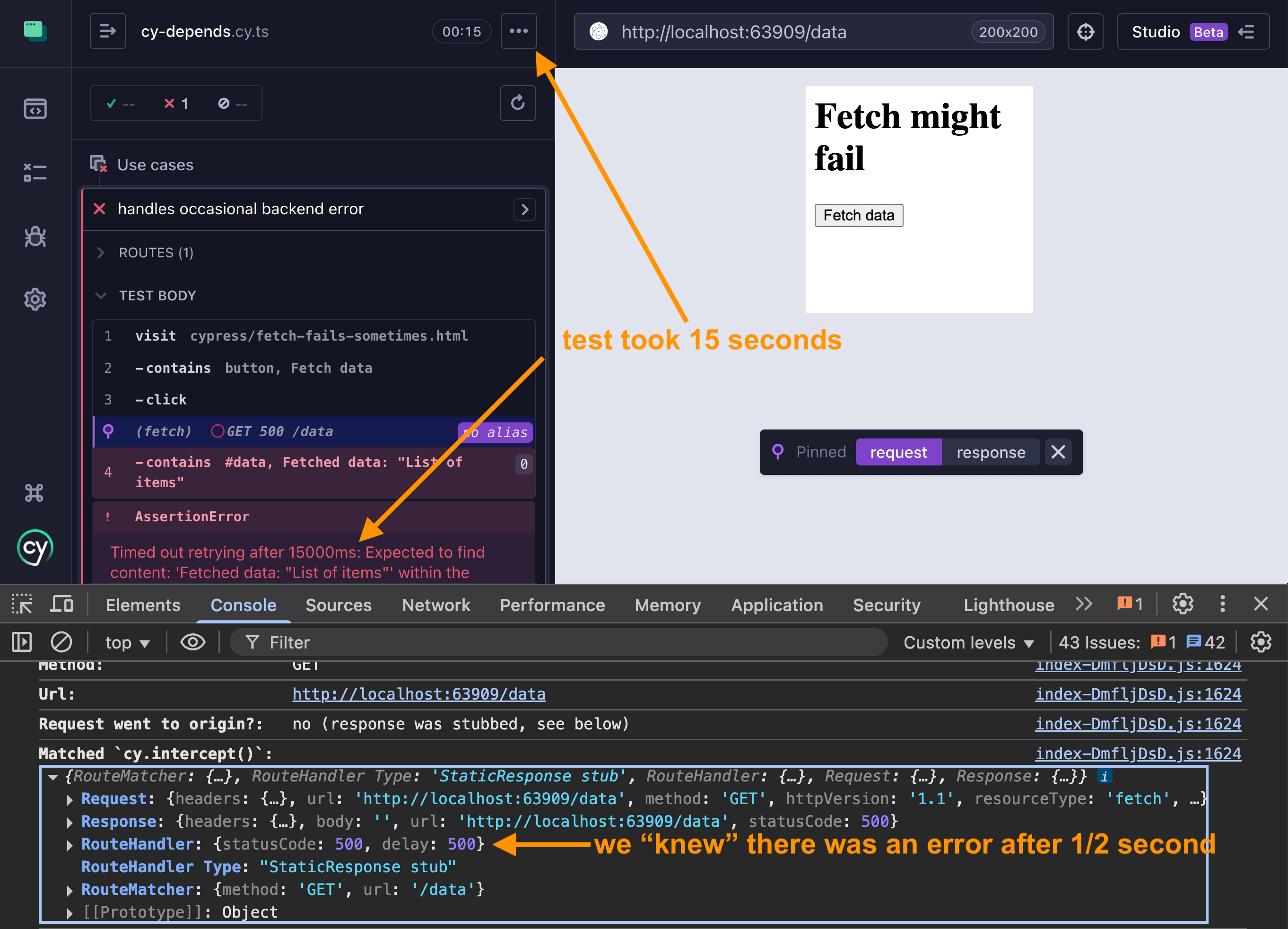
- mismatch in speeds Network call might fail and the test times out waiting for the
#dataelement. The network error itself is fast: it returns 500 status code after only half a second. But since the successful data load is slow, we have to keep waiting and waiting for#dataelement.
1 | it( |
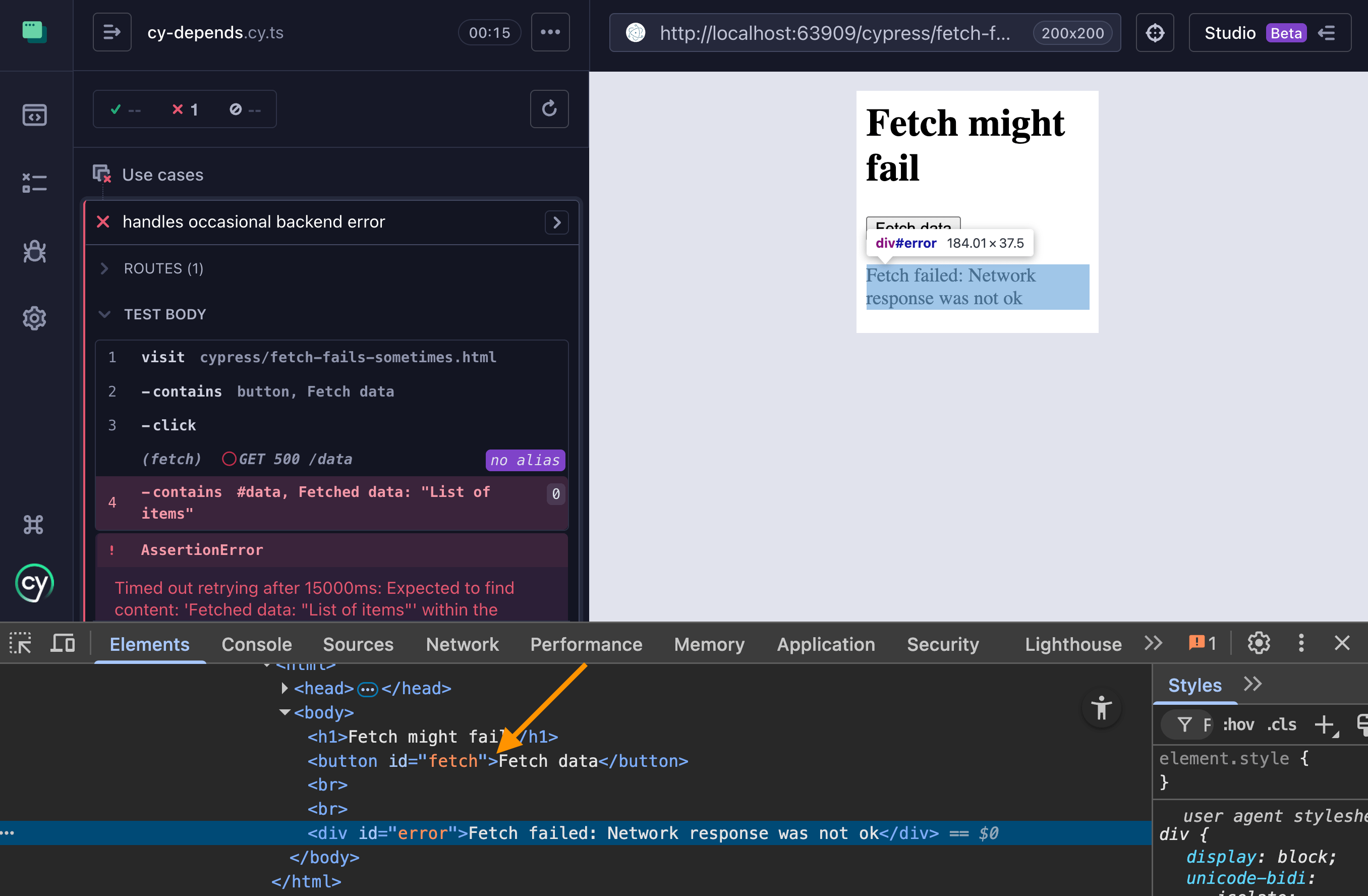
- errors are not observed The test does not report the "error" element shown. Instead the test times out looking for the "#data" element. It would be nice to write a test like this:
- click on the button
- wait for the "#data" element to appear and check its text
- while waiting, if the "#error" element appears, fail the test with a clear message
Of course, we could rewrite the test to observe the network call - but not every action has a clear observable "single point". Instead many tests have to consider several possible outcomes at once.
DOM states
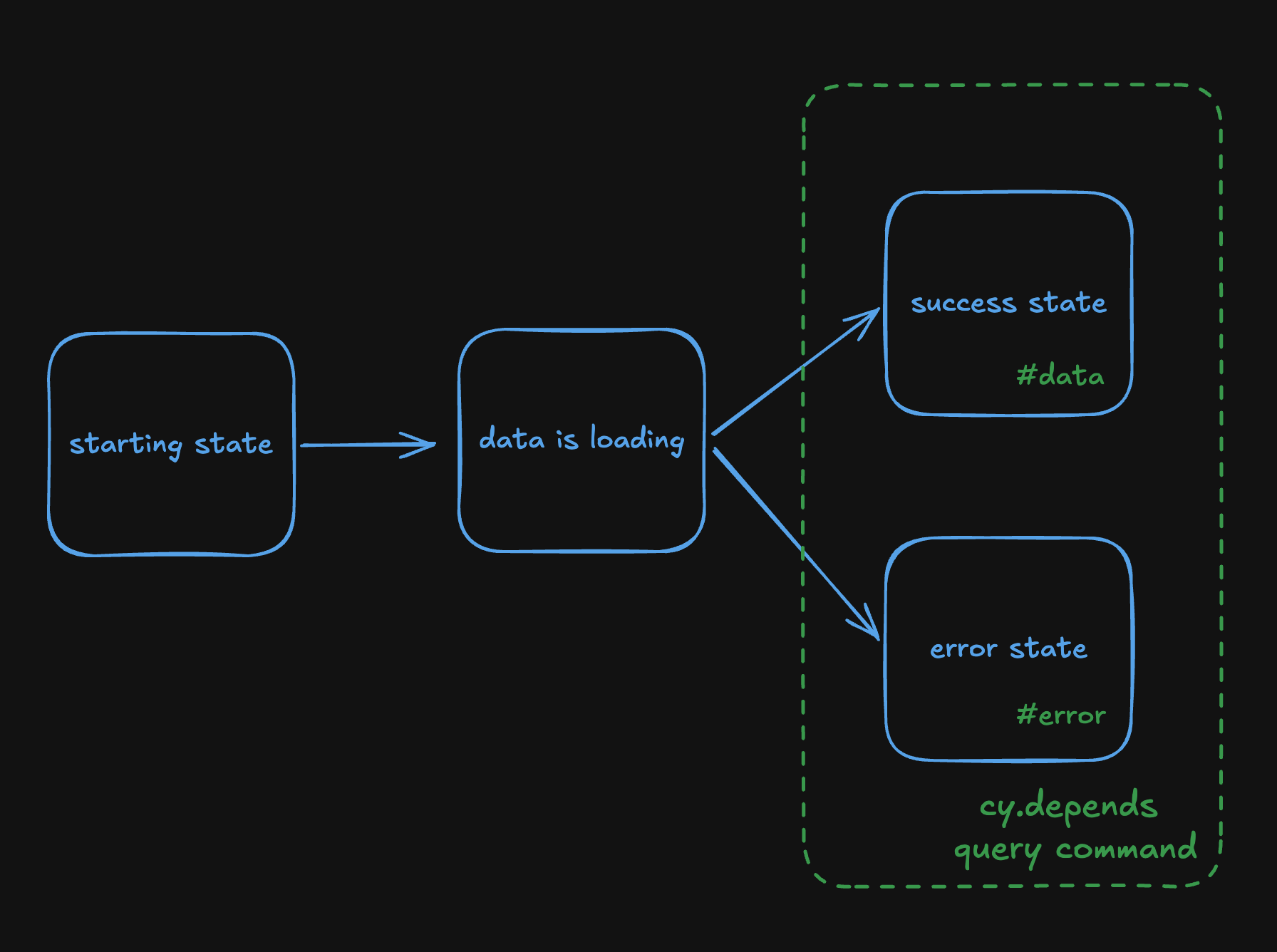
In our application, the app is simple. From the starting state (before we click the button), the app goes into "loading data" state, followed by the "successful data load" OR "failed data load" states. We can ignore the "loading data" state, since our app does not really show anything observable on the page (and we ignore the network call for now). At the end of the loading state, the app might show an element with ID "data" or an element with ID "error". Nothing else (unless things go really wrong)
In this blog post, I will show my new query command cy.depends from the cypress-if plugin that lets you consider multiple possible DOM states at once. This command can wait for all given selectors and then perform actions depending on the first matched selector.
Let's write a test and wait simultaneously for success and error states. For now, let's just print a message for each outcome.
1 | cy.contains('button', 'Fetch data').click() |
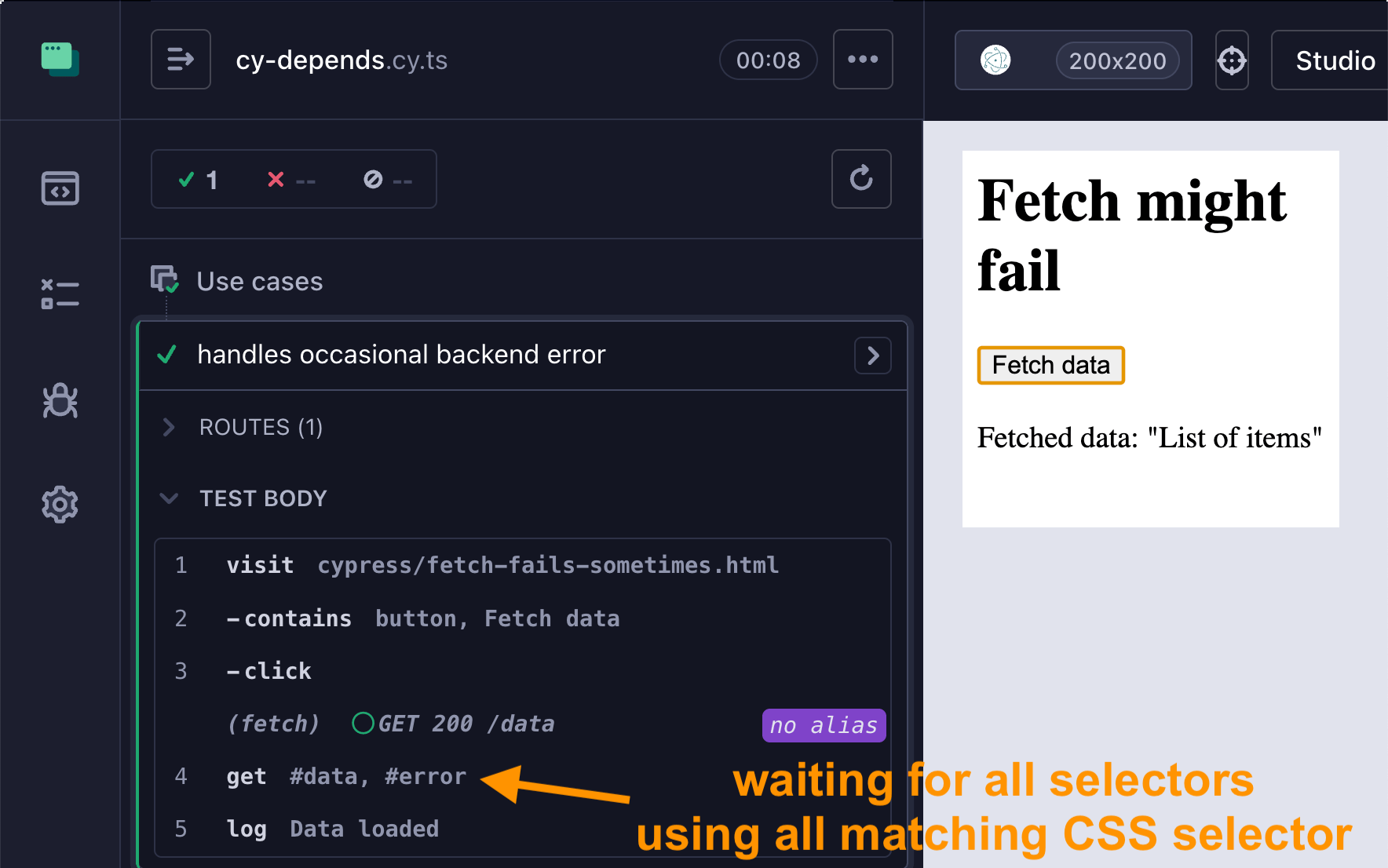
When the network load succeeds, we see 2 items logged into the Command Log: the query command waits for all selectors using all matching CSS selector. Once some elements are found, cy.depends matches the elements again to the find the first individual selector and performs the actions specified in the arguments object. For example, if the value is a string, it simply logs it.
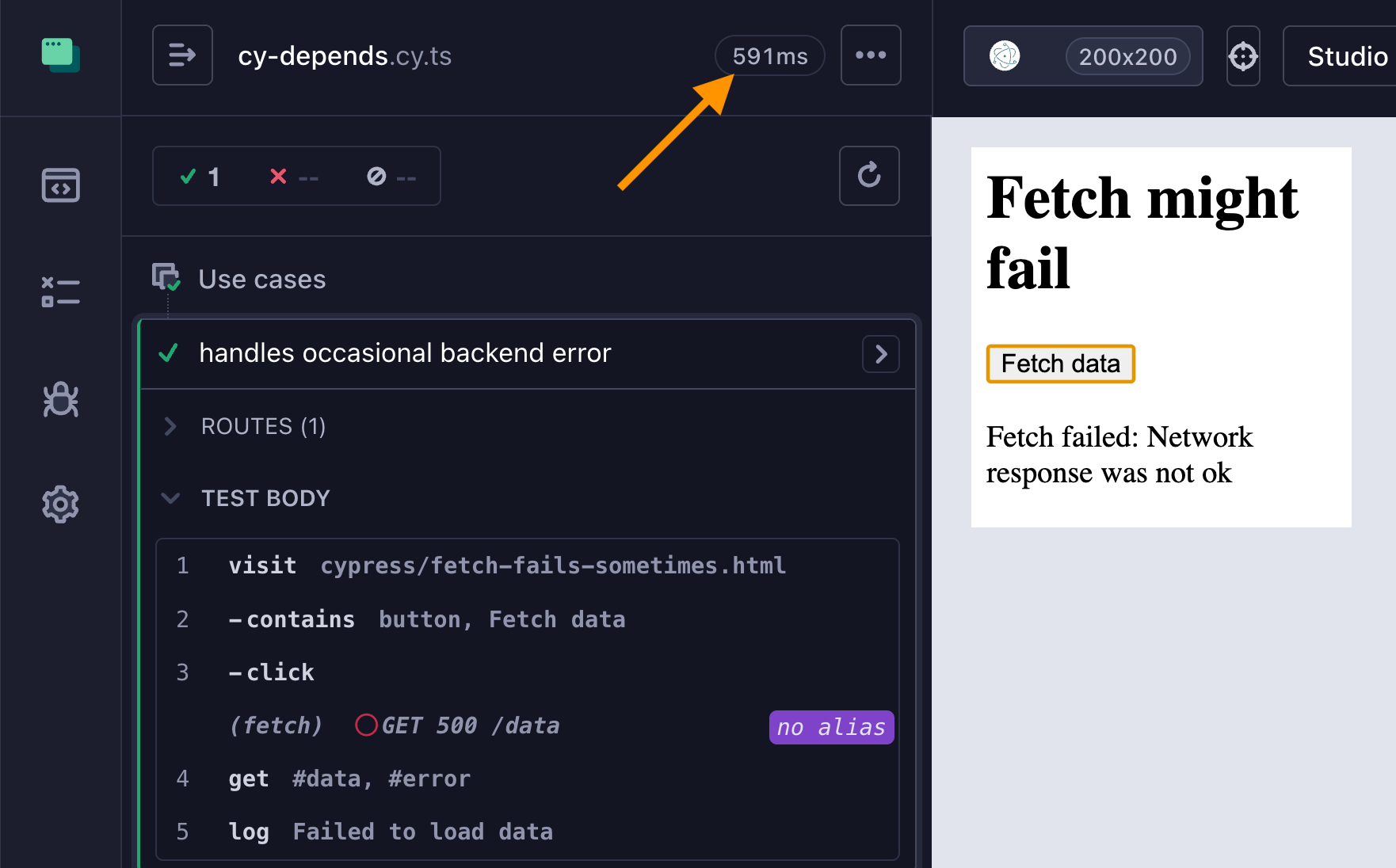
Let's say the network fails. Notice the cy.depends matched the #error element and the test finished immediately after the network load. No need to wait for #data element for 15 seconds when the app is clearly in the "error loading" state.
Handle each state
We can print log messages for each state. Or we can fail the test for some states. When the test finds the "#error" element, we want to fail the test immediately, which we can by giving an Error instance.
1 | cy.contains('button', 'Fetch data').click() |
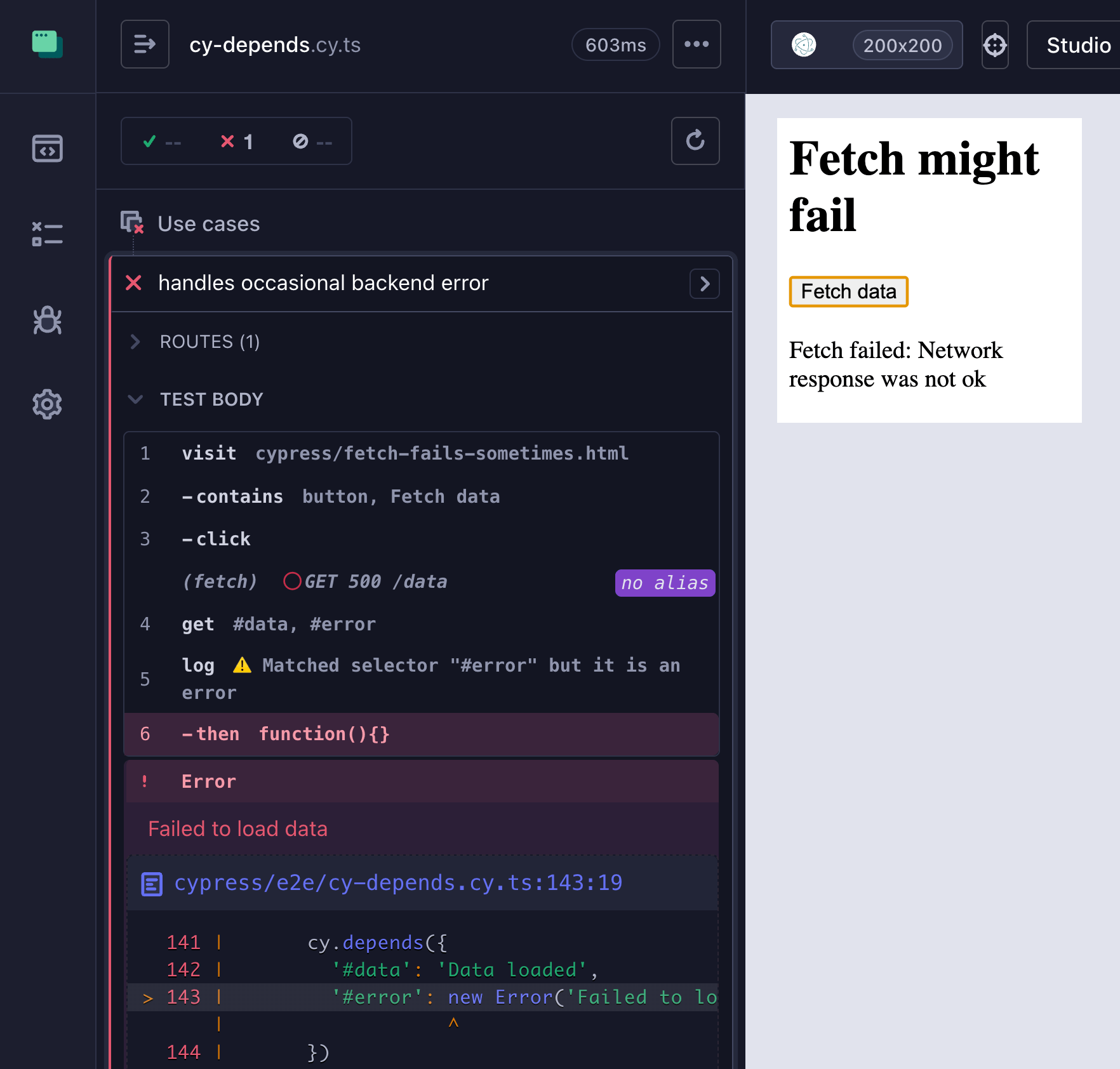
Again, the test is fast and clear. If we see an element matching #error CSS selector, we want to throw the Error object. We can go beyond simply throwing an error. We could perform custom assertions on the found elements. The cy.depends command yields the matched selector and found elements to the callback function
1 | cy.contains('button', 'Fetch data').click() |
By the way, if none of the cy.depends selectors match, the query command times out and the test fails.
Conditional actions
Querying multiple states helps solve conditional testing problems without nesting multiple IF/ELSE paths. Think of cy.depends as a switch statement; yes, it could be equivalent to multiple if/else statements, but having one switch usually beats multiple branches.
For example, let's say we have a page with a dialog that might be open, and we always want it closed. If we don't have a good programmatic way of controlling the dialog (I know, I know, but we are in the real world), then:
1 | it( |
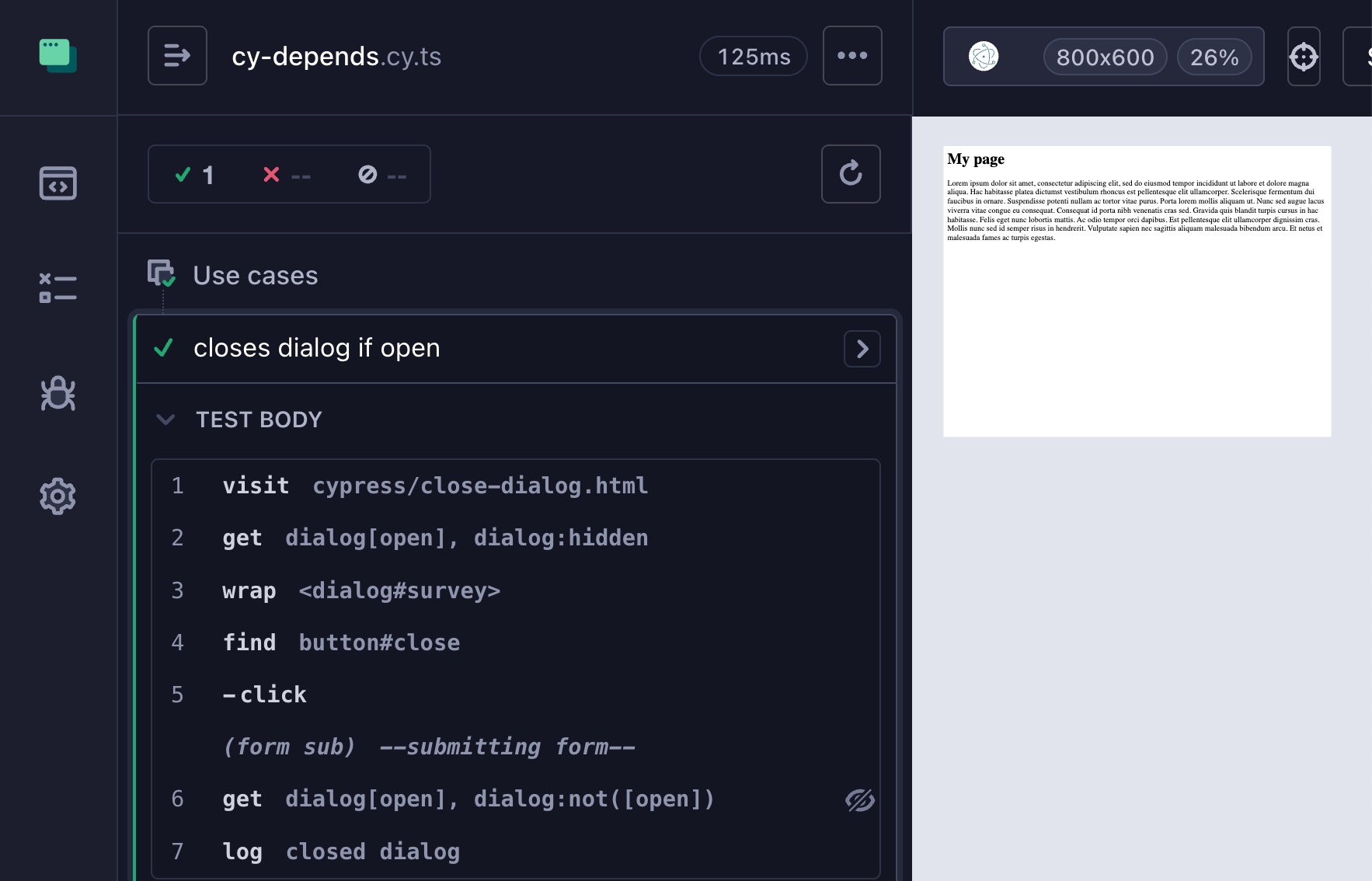
Of course, you can have more than two states, just list the CSS selectors ordered from the most discriminating to the least discriminating to properly determine the correct state.
1 | // conditional state depending on the number of items in the list: 3, 2, or 1 |
Embrace and extinguish the ambiguity by handling every possible page state in your end-to-end tests.
🎁 Find the
cy.dependsquery command in my cypress-if plugin.