Let's say you have a long-ish Cypress test and you know a place where it might fail. You want to stop / skip the test commands. What options do you have for stopping Cypress tests?
Imagine these two specs in our project
1 | // cypress/e2e/spec-a.cy.js |
The first spec has the test "works 1" that fails at the end. There is another passing test in the first spec. The second spec has just a single passing test. If we use cypress open and look at the first test, the test runner shows the commands in the two finished tests.
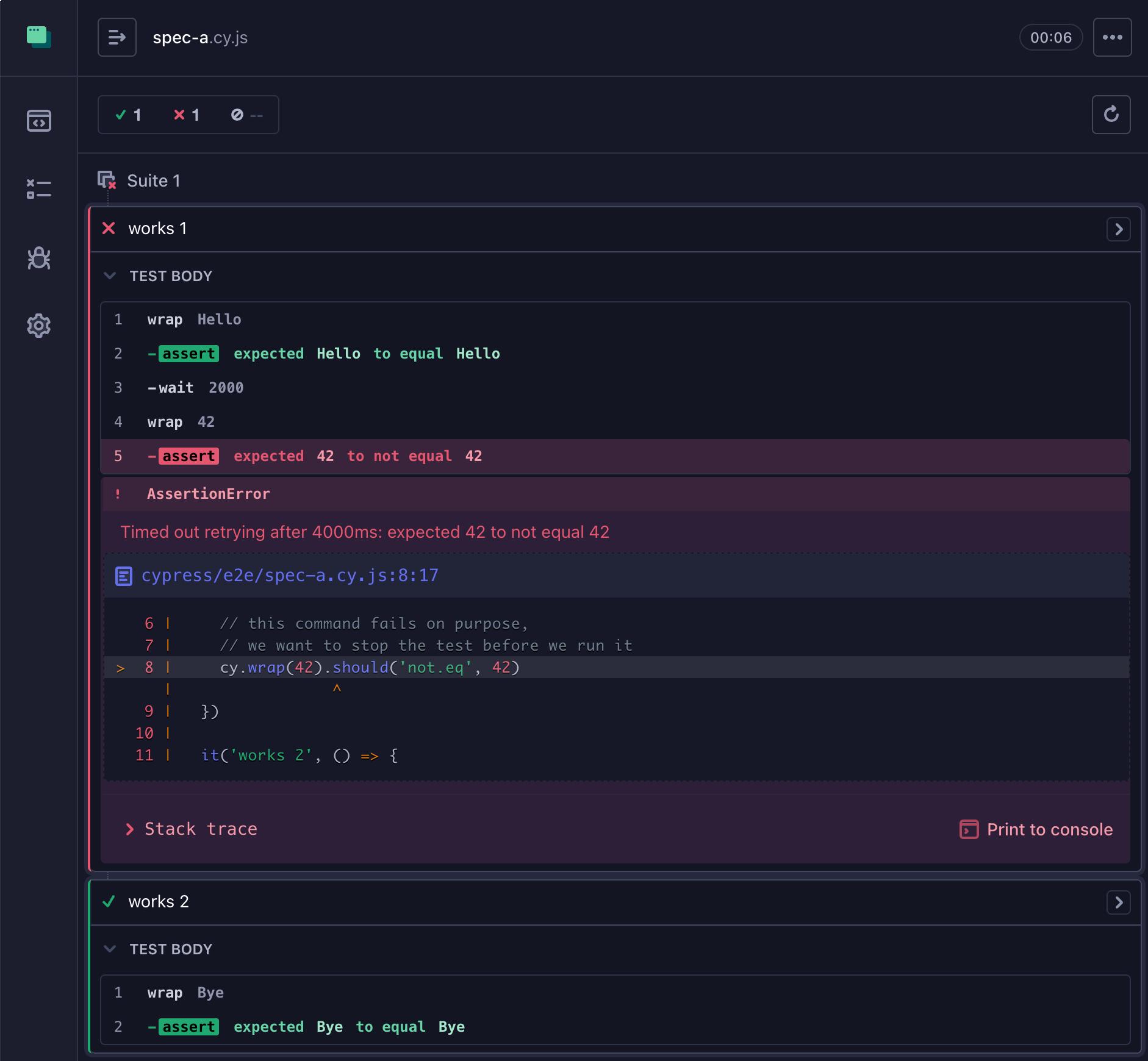
The first test fails, the second one passes.
Option 1: Hard Cypress stop
Let's try using Cypress.stop before the failing command.
1 | it('works 1', function () { |
Here is what happens when this test runs in Cypress
Notice that Cypress.stop destroys the Command Log and skips the rest of the tests in the spec file. We lose everything. We cannot even see any successful commands inside the first test.
Option 2: Mocha test skip
We can stop the current test without skipping th rest of the tests in the spec file by using the Mocha test skip command. We just need to be careful about pointing this at the test context object, thus I am using it(..., function () { ... }) syntax and not it(..., () => { ... }) version.
1 | it('works 1', function () { |
This is how the spec runs - the first test collapses, but the second test runs and can be viewed in the Command Log.
Tip: you can avoid using it(..., function () { ... }) syntax and simply grab the Mocha test context object using the following internal cy.state command
1 | it('works 1', () => { |
Works the same way: skips and collapses the first test, but lets the rest of the spec proceed
Option 3: skip the rest of the command queue
There is a better way. Instead of hitting "the emergency brake", we can skip the remaining Cypress commands by writing a little bit of custom code. To remind: Cypress runs the test callback function, which adds all cy commands to a queue (which you can watch yourself, read Visualize Cypress Command Queue). So here is what we can do when we decide to skip the rest of the test: simply skip the remaining commands instead of stopping the test.
1 | Cypress.Commands.add('skip', () => { |
The custom command cy.skip() can be added anywhere and it will mark the remaining individual commands using <command>.skip method.
This approach offers an obvious advantage: you can still inspect the current test and see all completed commands. Of course, you can make this cy.skip custom command as complex as needed: add condition / subject support, or run it conditionally using cy.then(callback) syntax:
1 | cy.get(...) |
Happy test stopping!